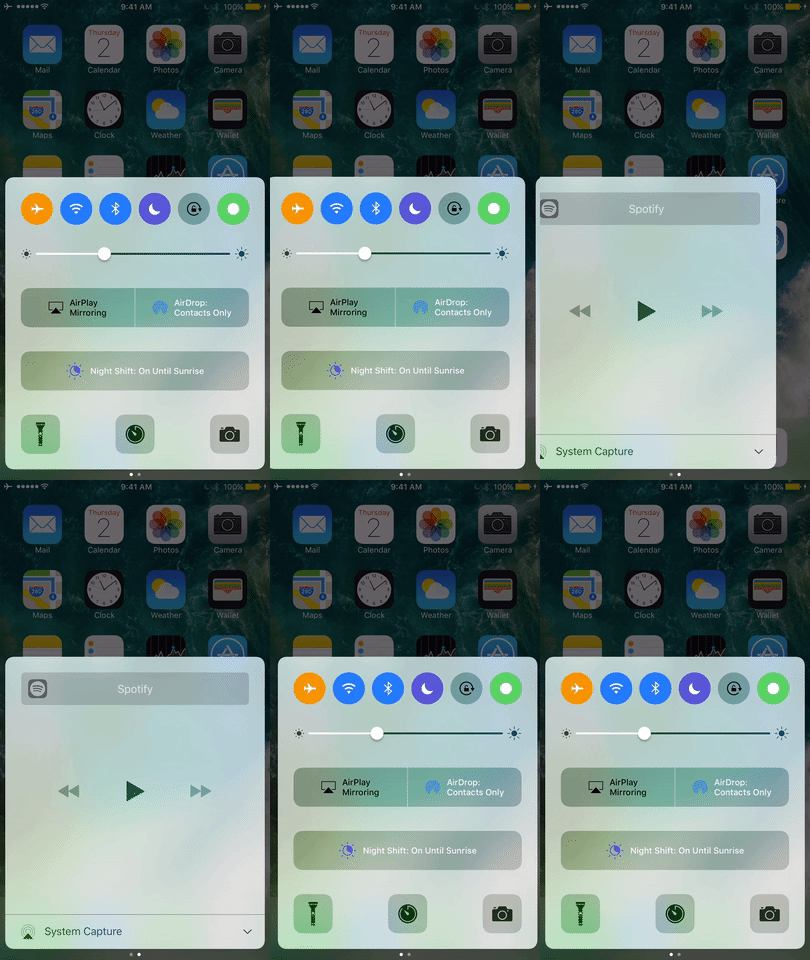
If you’ve been on iOS 10 long enough, then you are probably familiar with the ‘bounce’ animation that occurs whenever you swipe between pages in either Control Center or Notification Center. They’re most pronounced when you hit a dead end and attempt to keep swiping.
Not everyone is a fan of the bounciness, so a developer named Callum Yarnold created two newjailbreak tweaksdubbedCCNoPageBounceandNCNoPageBounceto help negate these animations.

So, in case you’re still on iOS 9 and have no idea what we’re talking about, or if you’re on iOS 10 and just need a refresher, the bounce animation can be seen in both Control Center and Notification Center.
InControl Center, it looks a little something like this:
InNotification Center, it’s pretty similar; here’s another example of it there:
After you install CCNoPageBounce, and/or NCNoPageBounce, it disables these animations completely. Obviously, to disable the bounciness in both Control Center and Notification Center, you have to install both jailbreak tweaks, each of which are free downloads for any jailbrokeniOS 10device from Cydia’s BigBoss repository.
On the other hand, you can also install them individually, given the small chance that you might be using another kind of jailbreak tweak that doesn’t play nicely with these animations and only need to disable them in one place. You also might not need the CCNoPageBounce tweak if you’re using a jailbreak tweak like the recently-releasedHorseshoe, as you’re unlikely to be paging through Control Center if it’s just a one-paged deal.
One thing I would like to point out is the tweaks do not disable the opening bounce animation that you normally see when opening Control Center or Notification Center. That said, if you install the tweak(s) and you open either of the centers, you’ll still see that initial bounce. This tweak only disables the bounce animation you would see while paging through the multiple pages of Control Center or Notification Center.

Since these tweaks are made for iOS 10, you can’t use them with iOS 9 or earlier. That said, you must havejailbrokenwithYaluto make use of these tweaks.
Love it, or hate it, these animations are a part of the stock iOS 10 experience, but these tweaks can nullify them if you don’t want them there. Let us know what you think in the comments below.
