It’s going on a month since theiPhone 4Smade its initial debut, and we’re still without a jailbreak. Not that we’re complaining; we never expected a jailbreak for the 4S to be released this soon anyway.
Still, it’s hard giving up some of the luxuries thatjailbreakingbrings to the for — namely SBSettings toggles to quickly enable and disable certain low-level functions like WiFi, Bluetooth, Airplane mode, etc.
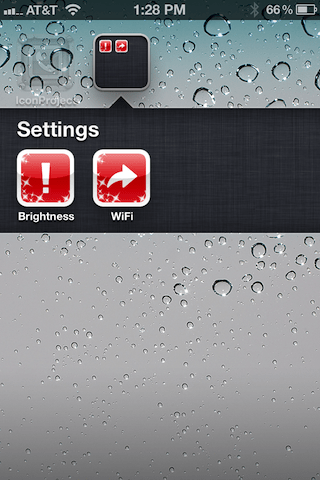
Fortunately, there is a compromise. We’vebriefly touched on itbefore, but in this article and video walkthrough we’ll show you how to create custom shortcuts to your favorite settings; no jailbreak required…
[tube]http://www.youtube.com/watch?v=IsCRGSQkjkY[/tube]
In this video tutorial, I used IconProject to create the custom icons with specific URL links to certain Settings app sections. IconProject is $0.99 on the App Store, but it’s super easy to use, and far and away the best app I’ve seen of this nature.
Admittedly, this is not a replacement for SBSettings, because SBSettings allows for direct toggles. This is more of a shortcut to specific sections of the Settings app. Again, it’s not a replacement, but it is a decent compromise until a jailbreak is released.
If you want to know all of the shortcut addresses to the various panels in the Settings app, you can use the following preference shortcut addresses:
Preference Shortcuts
About— prefs:root=General&path=AboutAccessibility— prefs:root=General&path=ACCESSIBILITYAirplane Mode On— prefs:root=AIRPLANE_MODEAuto-Lock— prefs:root=General&path=AUTOLOCKBrightness— prefs:root=BrightnessBluetooth— prefs:root=General&path=BluetoothDate & Time— prefs:root=General&path=DATE_AND_TIMEFaceTime— prefs:root=FACETIMEGeneral— prefs:root=GeneralKeyboard— prefs:root=General&path=KeyboardiCloud— prefs:root=CASTLEiCloud Storage & Backup— prefs:root=CASTLE&path=STORAGE_AND_BACKUPInternational— prefs:root=General&path=INTERNATIONALLocation Services— prefs:root=LOCATION_SERVICESMusic— prefs:root=MUSICMusic Equalizer— prefs:root=MUSIC&path=EQMusic Volume Limit— prefs:root=MUSIC&path=VolumeLimitNetwork— prefs:root=General&path=NetworkNike + iPod— prefs:root=NIKE_PLUS_IPODNotes— prefs:root=NOTESNotification— prefs:root=NOTIFICATIONS_IDPhone— prefs:root=PhonePhotos— prefs:root=PhotosProfile— prefs:root=General&path=ManagedConfigurationListReset— prefs:root=General&path=ResetSafari— prefs:root=SafariSiri— prefs:root=General&path=AssistantSounds— prefs:root=SoundsSoftware Update— prefs:root=General&path=SOFTWARE_UPDATE_LINKStore— prefs:root=STORETwitter— prefs:root=TWITTERUsage— prefs:root=General&path=USAGEVPN— prefs:root=General&path=Network/VPNWallpaper— prefs:root=WallpaperWi-Fi— prefs:root=WIFI
Special thanks to Clay Russell atThe iPhonaddictfor the tip.
What do you think? Is this enough to hold you over until a jailbreak hits the 4S, or an untethered jailbreak hits iOS 5? Share your thoughts with us below.
