The stock volume HUD has always been a pain point of iPhone and iPad users for years. As a result, it’s not surprising that so many jailbreak tweak releases have come along in Cydia to bring a better solution for what seems like a major oversight byApple.
A newjailbreak tweakcalledSmartVolumeControlis just another one of those releases, and it aims to be a solution that can be customized to your heart’s content and also stays out of the way when you don’t want it to be.

SmartVolumeControl really does two main things:
Starting with the two designs it comes with, you can opt for either the clean volume bar, which is shown above on the left and is my personal favorite, or you can opt for the tiny volume indicator that appears in place of the carrier name, shown above on the right.
Both are really acceptable in terms of making the interface less intrusive, but each has its own benefits. For example, the volume bar looks cleaner and has a more symmetrical style, while the tiny label indicator actually shows the volume percentage in numeric form.
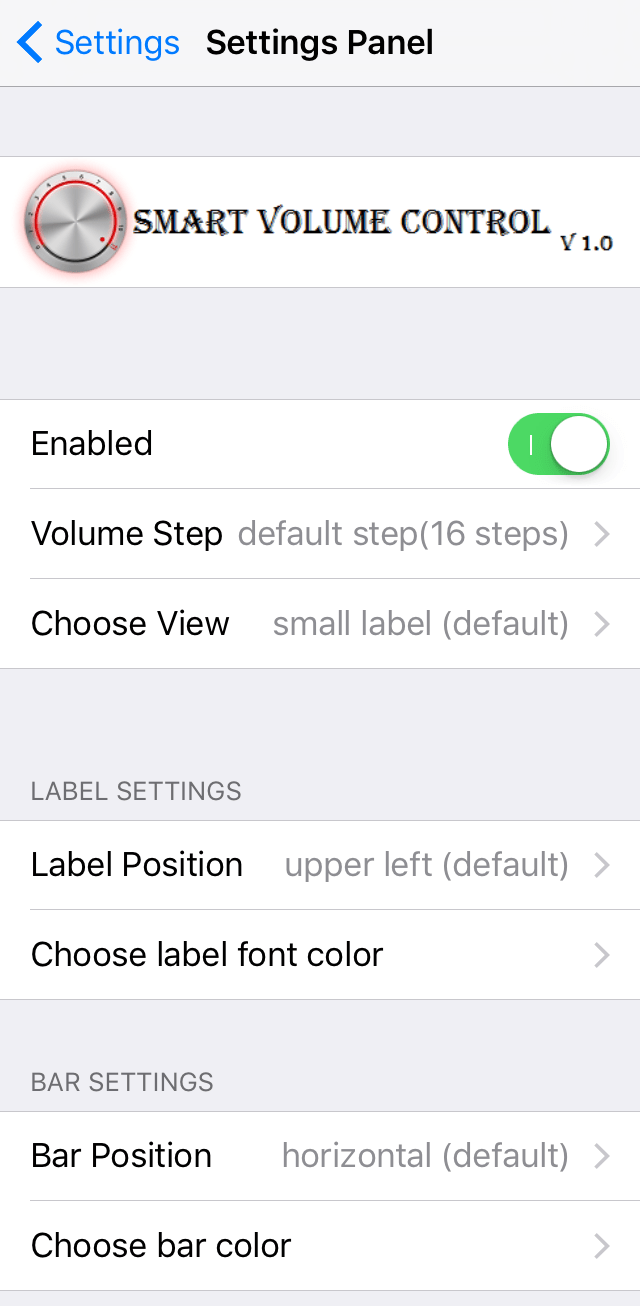
The tweak adds a preferences pane underSettings → SmartVolumeControlwhere you’re able to configure the style and behavior of your new volume HUD:
Here, you’ll be able to:
Notably, the color picker is a full-blown picker rather than a list of pre-sets, so you’re able to get anywhere in between the typical colors you’d see in a color list and this provides a high level of flexibility for customization purposes. As you can probably tell, I’m a big fan of tweaks that feature color pickers over the traditional color list.
If you choose to go with the volume bar style, it’s worth noting that landscape mode is also supported and you can even tap and drag on the slider rather than having to depress the volume buttons on the side of your device to adjust the volume level.
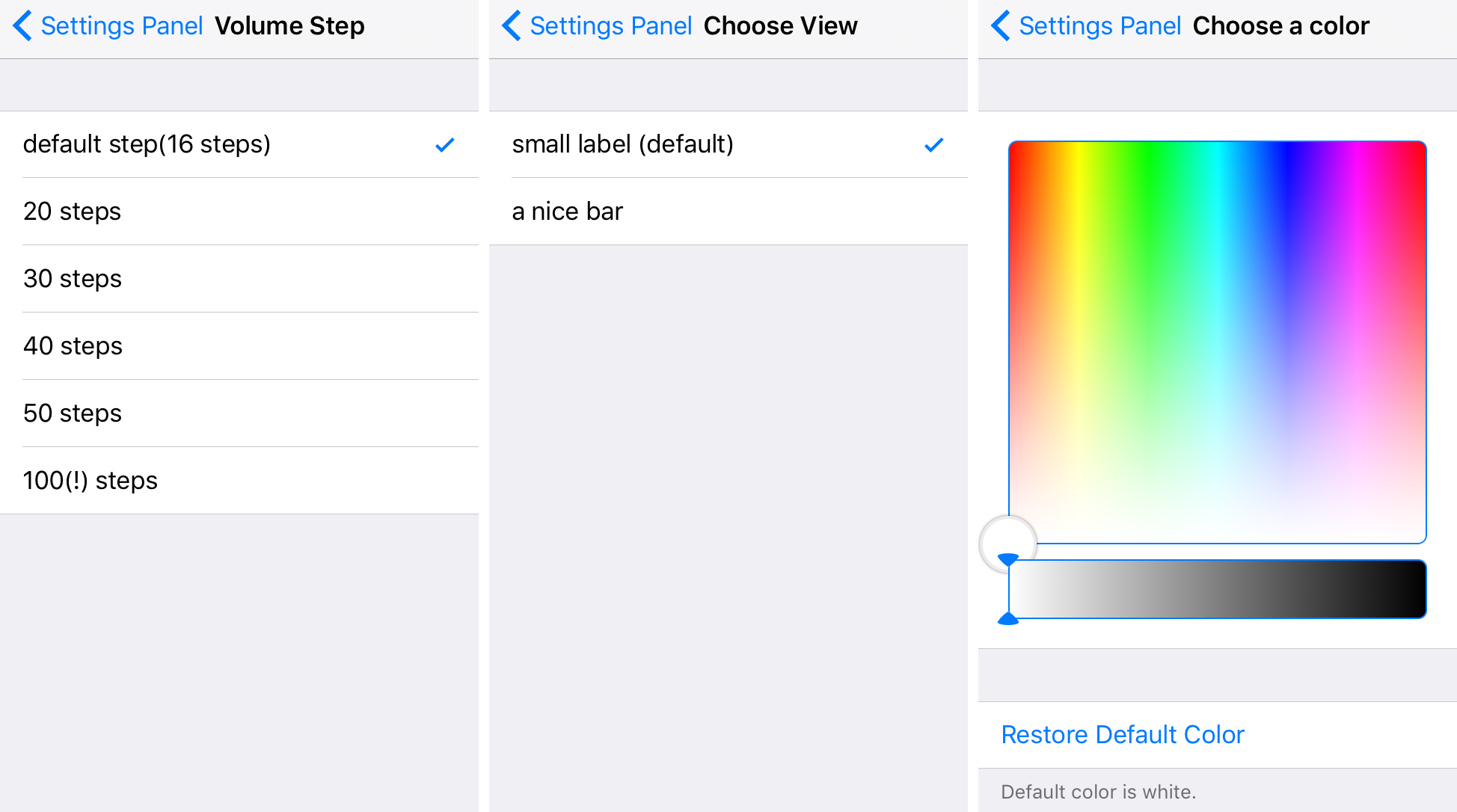
You really can’t go wrong with either volume HUD choice included with this tweak, because both stay out of the way when you’re watching videos or looking at something else on your screen. I always hated how the stock volume HUD would just sit right smack in the middle of everything and distract you from what you were doing, and this tweak does a good job of ridding you of that headache.
You can download SmartVolumeControl from Cydia’s BigBoss repository on any of yourjailbrokeniPhones or iPads for $1.49. The tweak runs on both iOS 8 and iOS 9 devices.
